Updating Test Baseline Images
If the changes in visual tests are expected, then you will need to update the baseline images. The baseline images in the repo should be updated with CI generated versions as there can be platform/machine specific differences. This guide shows how to update the visual test baselines and Playwright screenshots in Azure DevOps and locally.
Updating using Azure DevOps
The reference baseline images should come from running the datamapplot-screenshot-generation pipeline. To regenerate the baseline images, you’ll need to manually trigger the datamapplot-screenshot-generation pipeline on your PR in Azure DevOps.
Note
You will need to have the necessary permissions to trigger the pipeline. If you do not have the permissions to trigger it yourself, ask for a maintainer to trigger the pipeline for you in your PR. You can proceed to Step 5 below after the pipeline has been triggered.
Steps
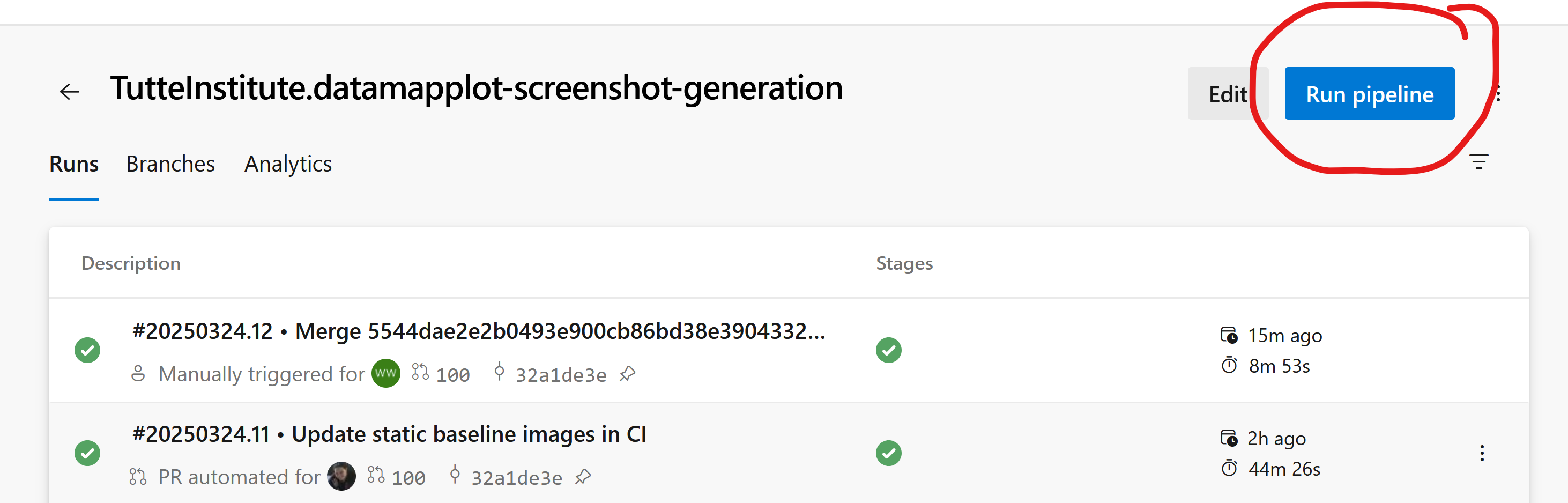
Open the Azure Pipelines main page for the datamapplot-screenshot-generation pipeline and select “Run Pipeline”.
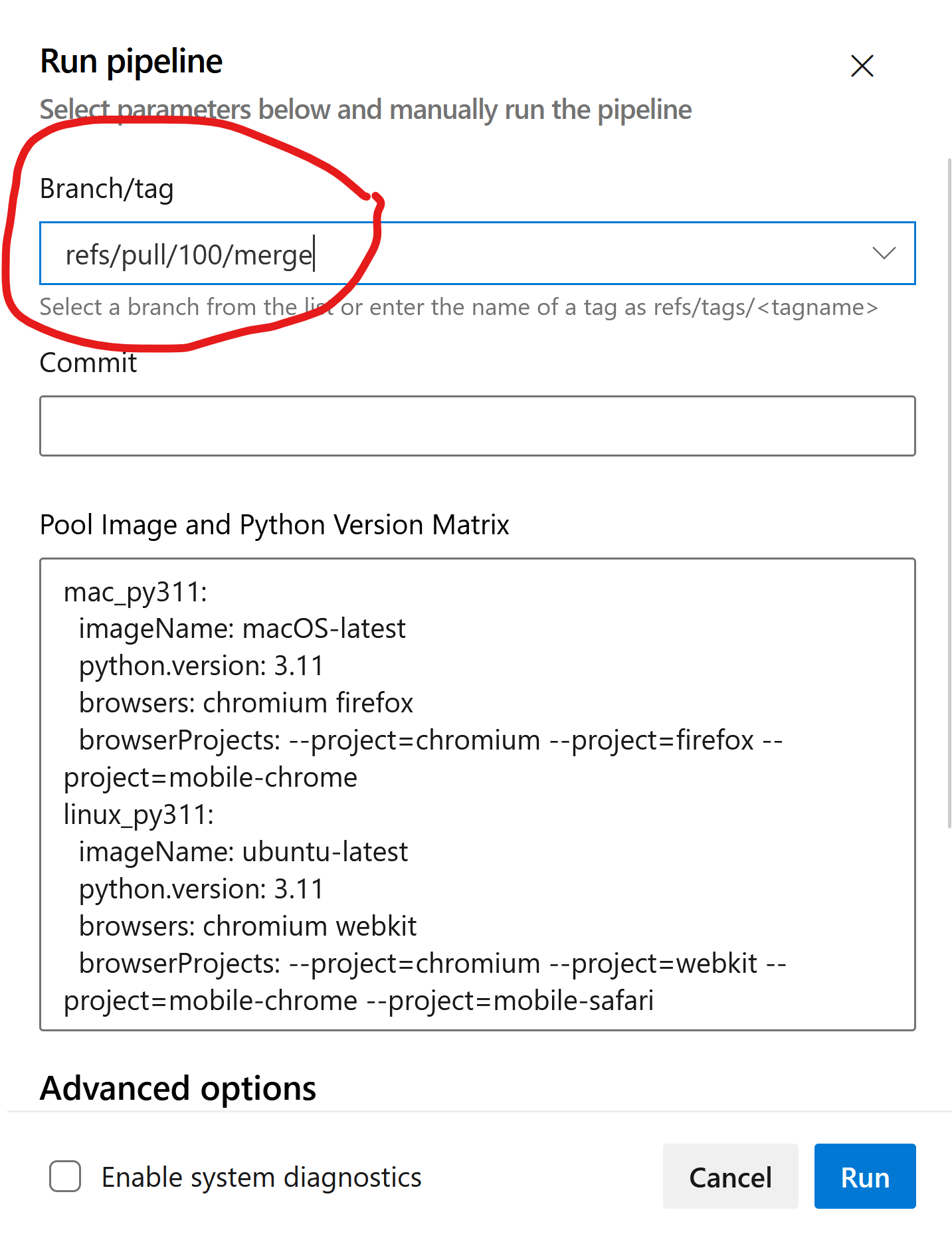
Select the branch that you want to update the baselines for. To select a PR, type in “refs/pull/PR_NUMBER/merge” in the “Branch/tag” field.
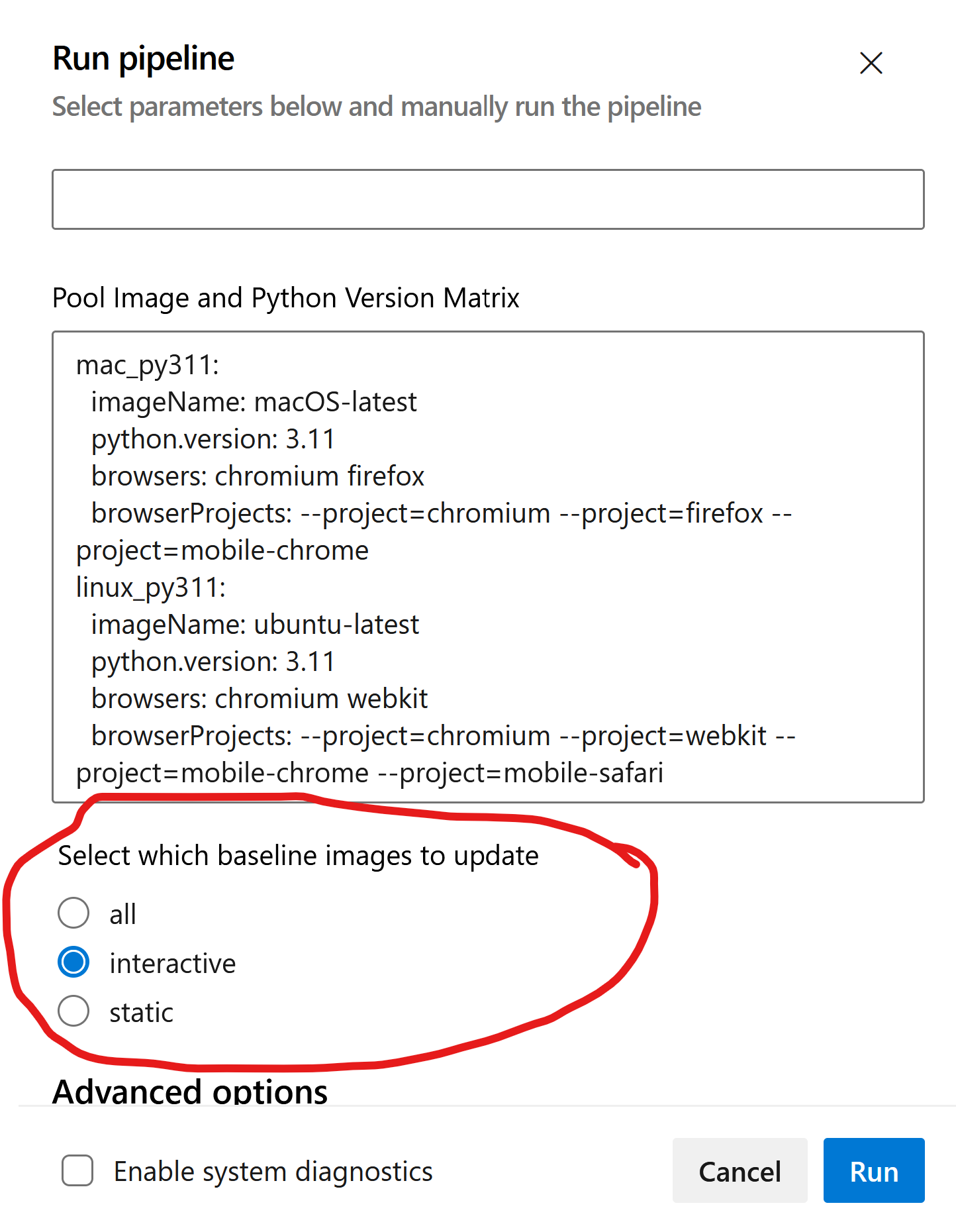
Select which baseline images to update from the menu options:
all: update all the baseline imagesstatic: update only the static baseline images (pytest-mpl)interactive: update only the interactive baseline images (Playwright)
Click on “Run” to trigger the pipeline.
After the pipeline completes, download the artifacts from the pipeline run.
The static images are in the
updated-mpl-screenshotsartifact package and the interactive images are in theupdated-playwright-screenshots-*artifact packages.Extract the artifacts and manually inspect the updated baseline images to ensure they are correct. If you’re happy with the results, copy the updated baseline images to the appropriate directories in the repo.
The location for the baseline images is:
Static images:
datamapplot/tests/baselineInteractive images:
datamapplot/interactive_tests/tests/<test_name>.snapshots
Check in the results to your branch and push the changes to update the PR. Your PR should now have updated baseline images and should pass tests in CI.
Updating the baselines locally
Sometimes it can be useful to regenerate the baseline images locally so that you can check test results locally if there are differences between your local machine and CI. This can be done using the pytest-mpl plugin for static images and Playwright for interactive images. This should only be done for informational purposes and not to update the baselines in the repo.
To update the static baseline images locally:
make update-static-baseline
To update the interactive baseline images locally:
make update-interactive-baseline
Warning
Please do not check in the baseline images generated locally. The reference baseline images should be updated using the CI generated images only.